How to Get Consistent Series Covers in Ideogram AI
(Works for fantasy, romance, pulp—anything that needs the same characters or branding across multiple books.)
1 Create a “DNA Prompt” for Your Series
| Element | Example | Why it matters |
|---|---|---|
| Character shorthand | — hero: red-haired woman, leather jacket, scar on left brow | Re-use exact wording every cover. |
| World shorthand | — neon Tokyo alley, rain-soaked pavement | Locks in environment palette & vibe. |
| Style clause | — cinematic illustration, ultra-sharp, studio key light | Controls texture & lighting. |
| Color anchor | — teal + orange grade, high contrast | Ensures thumbnails match. |
Save that block in a text file. You’ll copy-paste it into every prompt.
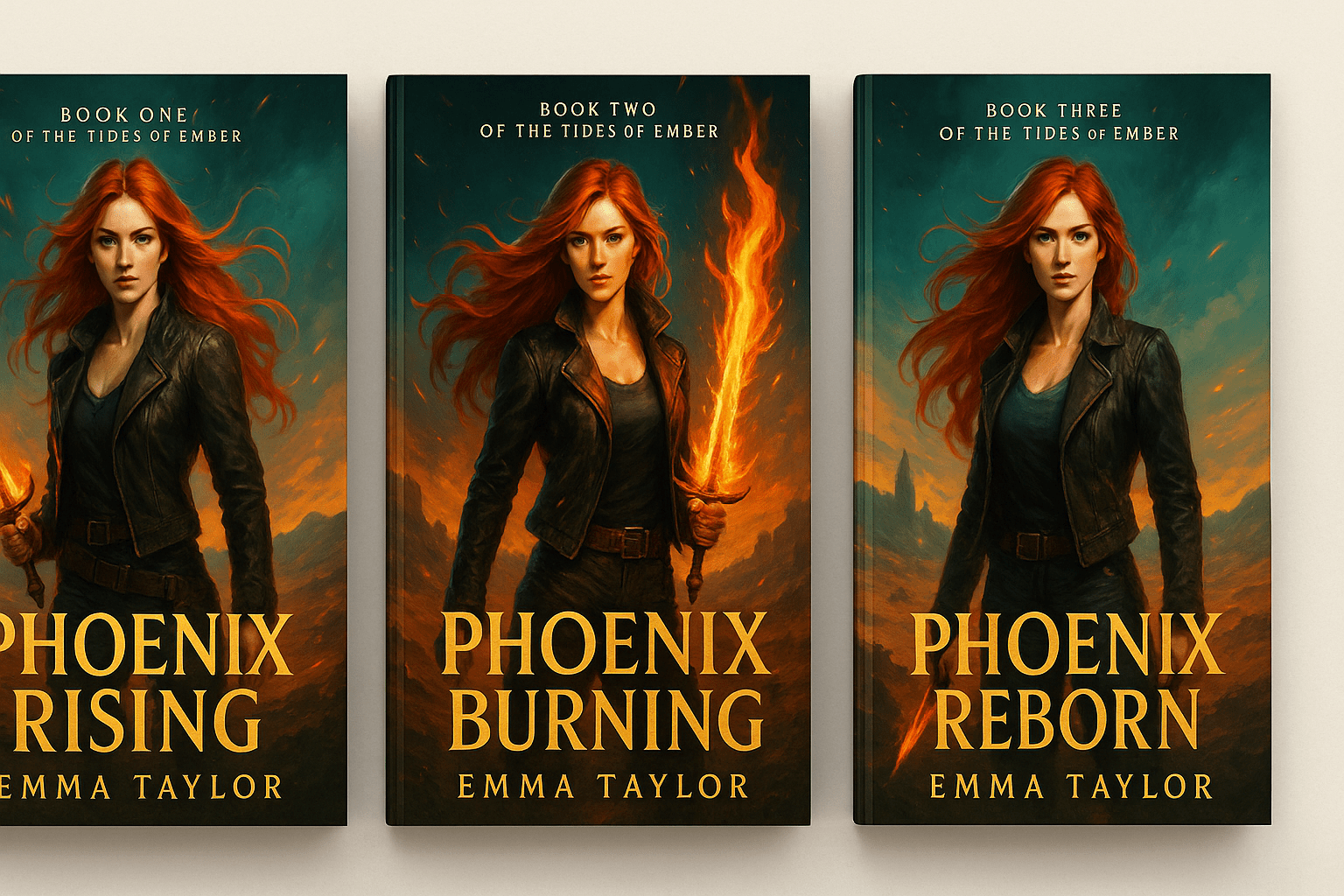
2 Leverage “Remix” + Seed Lock
- Generate Book 1 until you love it.
- Copy the seed number (click “…” → Copy prompt & seed).
- For Book 2, paste seed, keep the DNA block, change only what must change (pose, prop, background element).
- Toggle Remix at 60 % → gives variation while keeping identity.
Seed keeps the face & lighting; Remix adds fresh composition.
3 Force Text-Free Renders, Add Title Later
Ideogram can place text, but for consistency:
- Add
— no text, poster art onlyto every prompt. - Export PNG → import into Canva / Photoshop → overlay identical title font & logo template.
Now every book gets the same typography regardless of AI randomness.
4 Maintain Palette & Mood
Even with a fixed seed, small changes in wording can shift colors.
Add a hard palette clause:
(color scheme: deep emerald, soft gold highlights)
If Book 3 needs a night scene, keep palette anchor + add at night, moonlit so Ideogram “tints” rather than overhauls.
5 Tiny Prompt Tweaks for Individual Titles
| Need | Add to DNA prompt |
|---|---|
| Different weapon | holding katana |
| Seasonal theme | autumn leaves swirling |
| Villain focus | ominous shadow figure behind |
Keep everything else identical.
6 Batch Workflow Cheat-Sheet
- Prompt Book 1 → approve final → copy seed.
- Duplicate prompt → change only 1–2 words → enable Remix 60 % → Book 2.
- Repeat for Book 3, Book 4 …
- Drop all PNGs into a Canva template with pre-set spine/logo.
- Export full-resolution covers, upload to KDP.
Total time: ~30 min per new cover after Book 1.
7 Troubleshooting
| Issue | Fix |
|---|---|
| Character face shifts | Decrease Remix to 40 %; keep seed fixed. |
| Palette drifts | Move color anchor to front of prompt. |
| Pose repeats | Add dynamic action pose variant to Remix prompt. |
| Text still appears | Append — textless composition, blank background for title area. |
TL;DR
- Lock a DNA prompt (character + style + palette).
- Reuse exact seed; tweak via Remix slider.
- Add text externally for perfect consistency.
- Batch covers in one sitting—your readers will instantly recognise the series on every store shelf.
Fire your cover artist. ⚡️
https://fireyour.xyz/coverartist


0 Comments